From the job to the invoice without retyping anything.
Turn a finished job card into a quote or an invoice in one step, priced from your own list. Customers accept quotes online, and statements show exactly who owes what.
30 days free. No card needed.
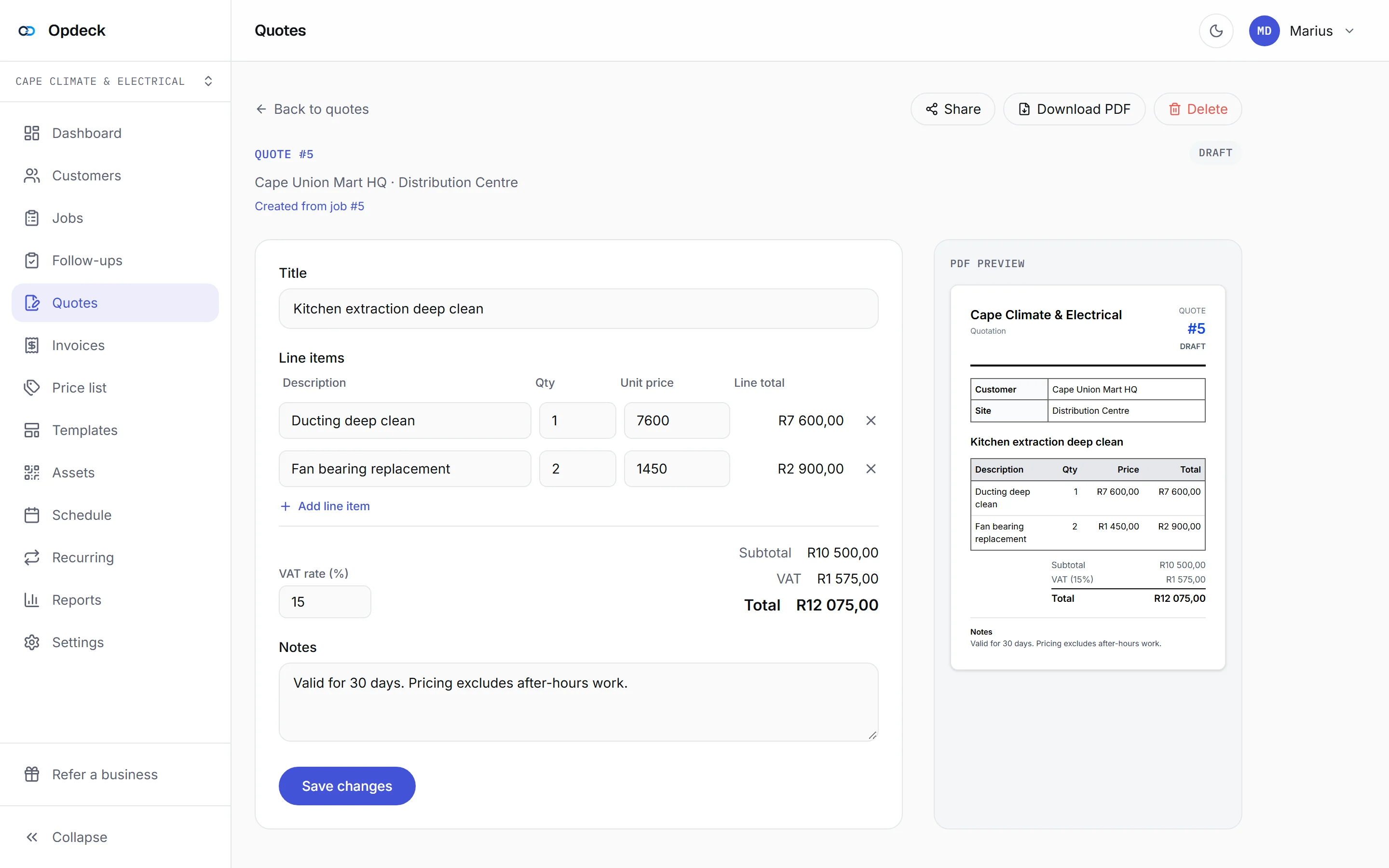
Your price list, built in
Labour, call-outs, parts and materials with your prices. Add them to a quote in a tap instead of looking them up.
Accepted online
Send the quote as a link. The customer accepts or declines it on their phone and you see the answer straight away.
Statements in one click
Every customer's invoices and payments, with what is overdue by 30, 60 and 90 days. Download it or email it.
Time and materials land on the invoice
Technicians tap when they arrive and when they leave. Those hours, at normal, overtime or double-time rates, and the parts used on the job flow straight onto the invoice, so nothing done on site goes unbilled.
- Hourly, travel and per-kilometre rates
- Parts ticked off your price list on site
- Default notes and banking details on every quote and invoice
Keep your accounting package
Already invoicing from Sage, Xero or Pastel? Use Opdeck for the job cards only, and mark each job as invoiced with your own reference so none of them slip through the gaps.
Questions
- Do invoices show VAT?
- Yes. Add your VAT number and quotes and invoices show VAT the way a tax invoice needs to.
- Can office staff raise invoices without being able to change them later?
- Yes. The Office role can raise quotes and invoices but can't edit or delete one once it exists.
More of what's included
Run your next job on Opdeck.
Start a free trial and send us a photo of your job card. We'll have it built into your account so your team can use it on the next job.
- 30 days free, no card needed
- We build your first job card for you
- Monthly, cancel any time